Turn your clipboard
into an always-ready
workspace
Copied on Mac. Ready to reuse anytime.
Open-source community edition
View on GitHub ↗
lynavo.paste
Text
lynavo.paste
Brand Icon
Image
beautiful.ai
Link
beautiful.ai
#7357FF
Color
#7357FF
01
Use Cases
iCloud Sync
History in syncacross devices
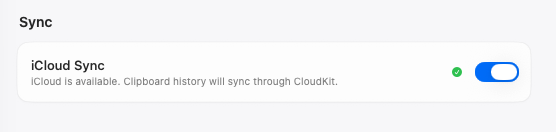
Keep your clipboard history in sync with iCloud and access it across your devices.
Favorites
Go-to clips
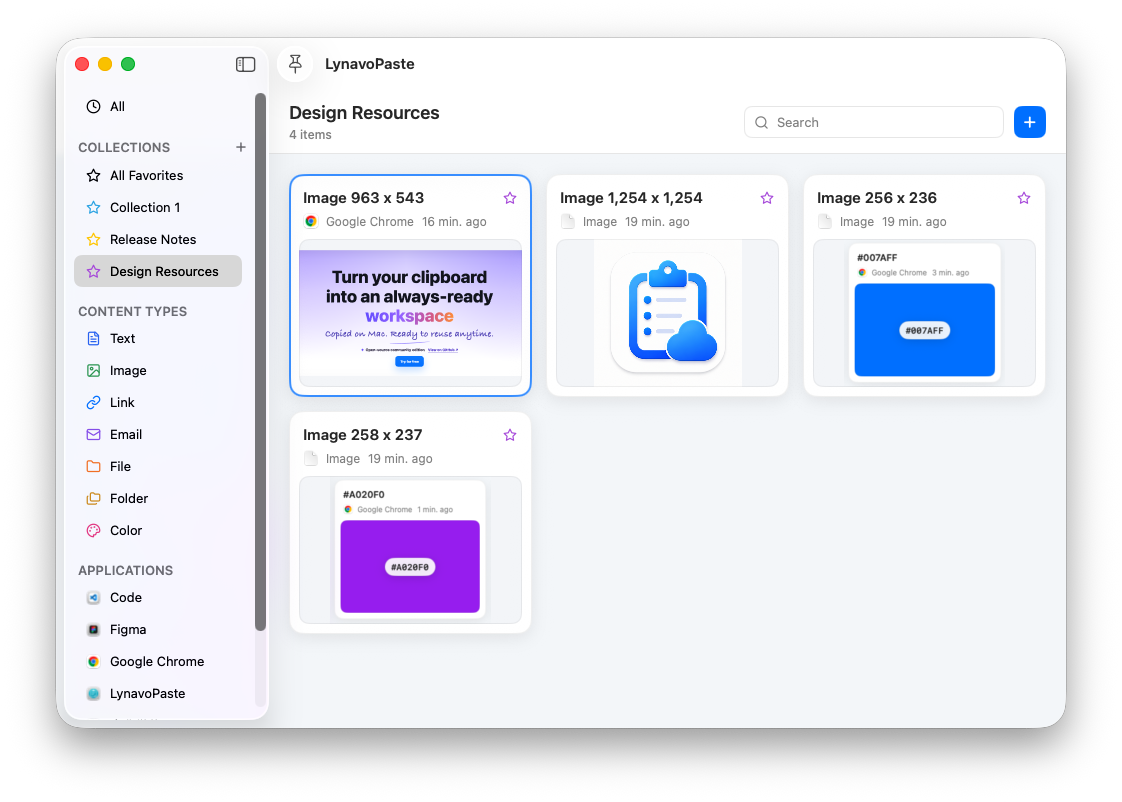
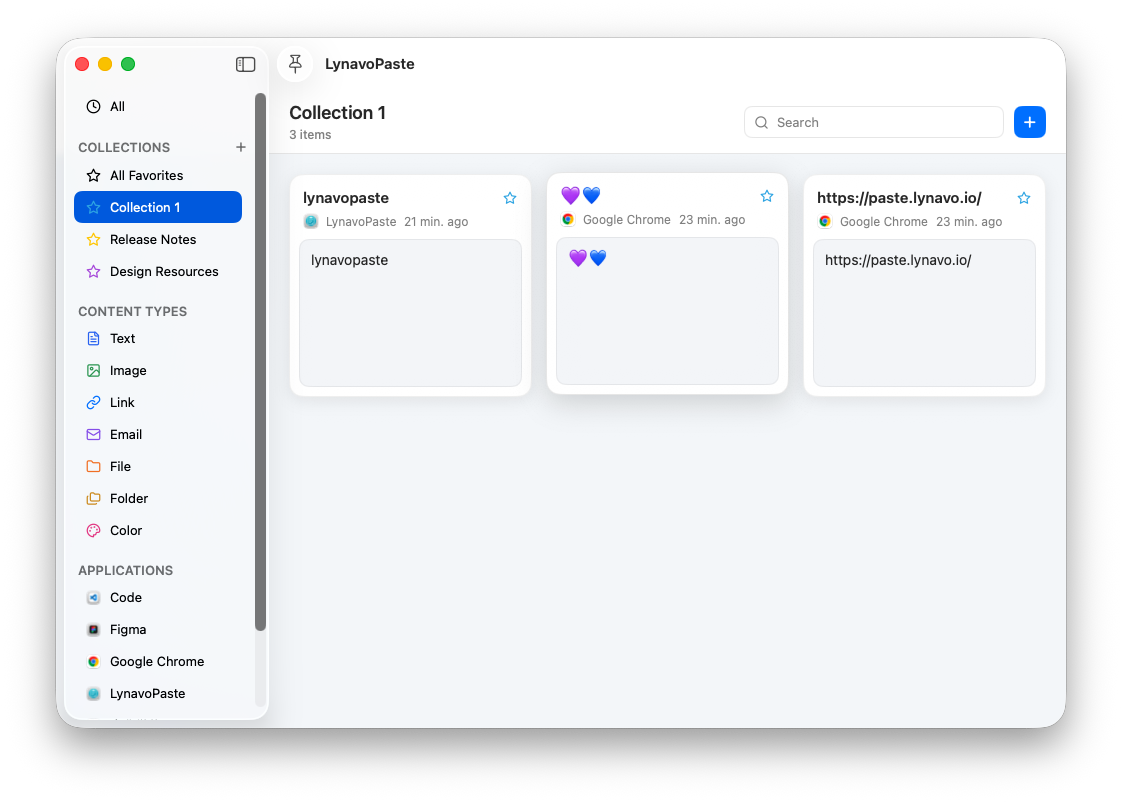
Save frequently used text, links, images, and files to Favorites, so you never have to search through your history again.
Smart Library
Neatly organizedeasy to find
Text, images, videos, files, folders, links, and email addresses stay neatly organized, with search, filters, and flexible ways to save them.
History Retention
Keep key clipsas long as needed
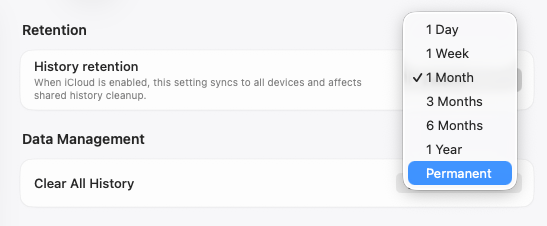
Keep clipboard history for days, months, or forever, so important clips are always there when you need them.
Private Vault
Local-firstYours to control
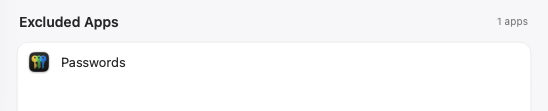
Content stays on your device by default. Pause history, exclude specific apps, or clear everything to keep sensitive information from lingering.
iCloud Sync
Favorites
Smart Library
History Retention
Private Vault


02
Features
Made for Mac
A lightweight workspace, no account required
No sign-up required; just open the app and get started.Keep your clipboard history and favorites in one searchable place, with your go-to clips always within reach.
Command + Shift + VOpen with a shortcutOn
Double-click to pastePasted into the active fieldFast
Instant keyboard access
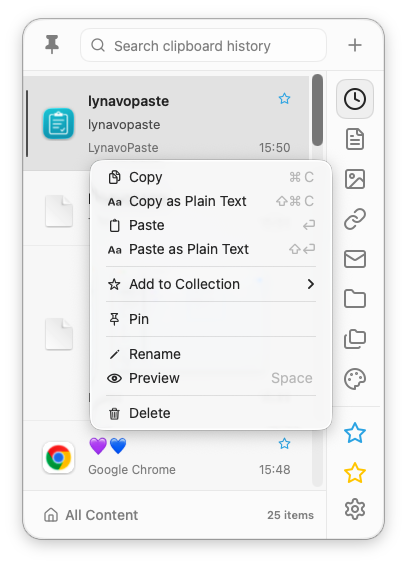
Open lynavo paste from anywhere with Command + Shift + V or another shortcut you choose.
Full-text search
Search titles and clip contents, then narrow results by content type, including files, images, and colors.
Smart filters
Filter by text, images, videos, links, email addresses, files, folders, source apps, or Favorites.
Pinned favorites
Pin important clips and organize frequently used content into dedicated Favorites collections.
Paste with a double-click
Double-click any clip to paste it into the active field and get instant confirmation.
Paste fallback
When Accessibility permission is unavailable, lynavo paste switches to copy mode and prompts you to paste manually so the content remains usable.
On-device encryption
Check your encryption and local storage status, review privacy alerts, and clear your history anytime.
Settings in one place
Manage shortcuts, window behavior, history, system status, security, and storage.
03
Open Source
Open-source edition
Open-source clipboard
history for macOS
LynavoPaste Community lives in the macOS menu bar, automatically capturing copied content for classification, search, preview, and reuse. History stays in a local Core Data database, and the capture, storage, and paste workflow can be inspected on GitHub.
- Recognizes text, links, email addresses, images, files, folders, colors, and other clipboard content.
- Open the panel with Option + V, then search or filter by text, category, or source application.
- Paste original or plain text, pin and reorder entries, drag content into other apps, and control retention or excluded apps.
Download it or build it yourself
Install the public release, or open the Xcode project to inspect the implementation, run tests, and contribute.
04
Pricing
Pricing
Flexible pricing, purchase your way
Choose monthly, annual, or lifetime access.
Monthly
US$0.99
/ month
Offers a 90-day free trial
Choose monthlyAnnual
US$9.99
/ year
Choose annual
Lifetime
US$29.99
Choose lifetime
Five major Pro upgrades
Feature
Open source
Pro
01
—
✓
Multi-device sync
Sync clipboard history across devices through iCloud
02
—
✓
Collections
Add frequently used or important content to collections for quick access
Unlimited collections
Unlimited collections
03
—
✓
Permanent history
Keep clipboard history permanently
04
—
✓
Password filtering & privacy
Choose apps to exclude from clipboard capture
Lock and hide specific collections
Lock and hide specific collections
05
—
✓
Customization
Add custom clipboard items
Set a custom title for each clipboard item
Set a custom title for each clipboard item
05
Frequently asked questions
What is Lynavo Paste, and how is it different from the built-in macOS clipboard?
Lynavo Paste is a clipboard manager for macOS. While the built-in clipboard generally keeps only the most recently copied item, Lynavo Paste maintains a searchable history and lets you categorize, preview, pin, favorite, and reuse previously copied content.
Which Mac models and macOS versions does Lynavo Paste support?
Lynavo Paste supports macOS 13 or later and is compatible with both Intel and Apple Silicon Macs.
What types of content can Lynavo Paste save?
Lynavo Paste can save text, rich text, images, links, colors, files, and folders, together with information such as copy time, content type, preview, title, and source app.
Where is my clipboard data stored, and is it uploaded to any servers?
By default, your clipboard history and settings are stored locally on your Mac. Data is processed through Apple iCloud/CloudKit only when you enable iCloud Sync.
Do I need an account or an internet connection to use Lynavo Paste?
No Lynavo account is required, and the core local clipboard features do not require a continuous internet connection. Internet access is needed for iCloud Sync, App Store purchases and restoration, and website link previews.
Does Lynavo Paste support iCloud Sync, and what data is synced?
Yes, but iCloud Sync is disabled by default. When enabled, Lynavo Paste uses Apple CloudKit to sync clipboard content, previews, categories, source apps, pinned and favorite status, collections, and necessary settings such as history retention. Turning Sync off stops future synchronization but does not automatically delete existing local or iCloud data.
Which macOS permissions does Lynavo Paste require?
Accessibility permission is required to paste history items directly into other apps. Launch at login and iCloud Sync require their corresponding system approvals.
How long is regular clipboard history retained, and how can I exclude sensitive apps, pause recording, or clear history?
Regular clipboard history is retained for one month by default, and you can change the retention period in Settings. Expired regular items are deleted automatically, while pinned, favorited, or collected items are preserved. You can also delete individual items, remove history from a specific app, clear regular history, or exclude sensitive apps. Exclusion applies to future clipboard activity; existing regular history must be deleted separately or removed when the app is excluded.